
Start with the circuit, not a new sensor
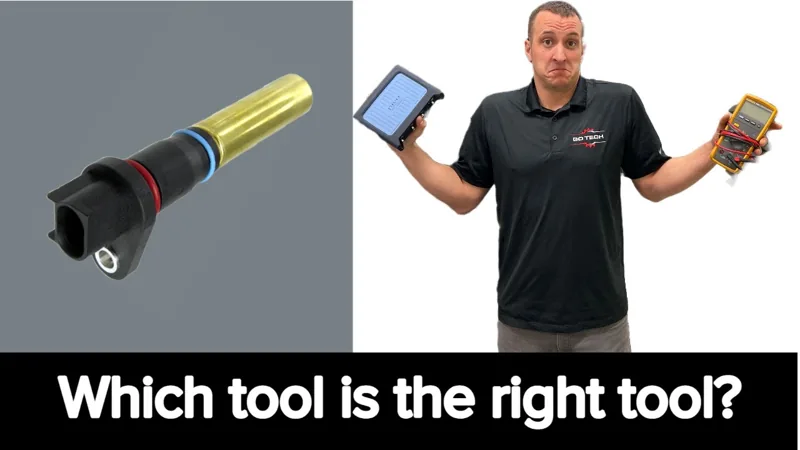
The video discusses P0335/P0336, stalling, no-start and rough-running complaints. None of those symptoms alone identifies a failed crank sensor.
- Find the sensor type and the expected signal.
Use the vehicle wiring diagram and service information. GoTech demonstrates an analog variable-reluctance sensor and a digital sensor. Do not identify every sensor by wire count alone or copy the demonstration’s wire colors onto another vehicle.
- Include the target the sensor reads.
The reluctor, its reference features, the sensor’s mounting and the air gap are part of the signal. GoTech explains that the target may be hard to see or use magnetic features. A signal fault is not automatically a sensor fault.
- Test when the fault happens.
An intermittent hot or cold problem can pass a stationary check. Record the complaint and capture the signal under the relevant conditions, using safe access and the vehicle’s approved testing procedure.
What each tool actually tells you
Multimeter
Useful for specified resistance checks, supply/ground checks and an indication of signal output. An averaged number hides the individual pulses.
Keep asking: what could this reading miss?Oscilloscope
Shows pulse shape, reference gaps, signal levels and intermittent disturbances in the capture. Compare with the correct pattern and test conditions.
A waveform still needs interpretation.Analog sensor: resistance is only the start
- Check resistance only against the specified test.
GoTech demonstrates a resistance reading but explicitly says the correct specification must come from service information. A reading within specification does not prove the sensor produces a usable signal.
- Compare AC output with the waveform.
The meter indicates AC output in the demonstration. The scope shows the individual pulses and the reluctor’s intentional reference gap. Use the expected pattern to distinguish a designed gap from a fault.
- Look at signal strength and mounting.
Moving the demonstration sensor farther from the target reduces its useful signal. On the vehicle, inspect the relevant mounting, gap and target conditions. Do not invent a universal amplitude or air-gap limit from this bench example.
The rotating bench rig illustrates the principle. This guide does not ask you to recreate it; use the safe on-vehicle test procedure for your application.
Digital sensor: separate supply, ground and signal
- Identify and check the correct circuits.
GoTech starts with the diagram and checks the reference supply and ground. The example uses a 5-volt supply, but the presenter specifically warns that other applications differ. Do not load a reference circuit with a test light; use the appropriate meter/scope test.
- Do not mistake the signal’s pull-up for its supply.
In this example the disconnected signal wire also has voltage supplied by the computer. Finding voltage on a wire does not identify its job. Use the diagram and correct connection method before recording the running signal.
- Capture the switching, then compare the levels.
The meter averages the changing signal. The scope shows individual transitions and reference gaps. GoTech compares a saved failed-sensor capture with the replacement sensor’s running pattern.
The fault that an average reading could hide
Pulses, but the low stayed too high
GoTech’s saved failed-sensor capture switches, but does not pull low enough for that computer. The presenter reports no usable RPM reading and poor running during the failure.
A replacement and a running capture
The later capture is taken with the new sensor installed. It is presented as a good pattern, giving you a direct case comparison instead of just a new part on the engine.
This is evidence from that vehicle. It is not a universal switching threshold, and it does not eliminate wiring, mounting or target faults on another car.
▶ Compare the before and after 16:47Carry the test through the repair
- Write down what failed.
Which circuit, which test condition, and what was wrong with the signal? A code by itself is not a repair instruction.
- Fix the established cause.
That may require sensor, wiring, mounting or target work. Use the correct repair procedure and any application-specific setup or relearn requirements; this class is not a replacement procedure.
- Repeat the useful test.
Check the relevant running/cranking signal and the original symptom under comparable conditions. Record the result and remaining uncertainty. A cleared code or one successful start does not establish that an intermittent problem is gone.
Watch the original GoTech videos
Every timestamp above plays here. Use “Back to where you were” to return to the check you were reading.
Video loads only when you choose to play.
What this guide covers
Sensor-testing class and one before/after example. No universal pinout, resistance, signal threshold, air gap or replacement/relearn procedure. One ambiguous ASR voltage was deliberately omitted.
Written by GoTech from the original videos. The linked source moments let you check the explanation against the demonstration.