
01 · Understand
What do P0172 and P0175 mean?
The computer is taking fuel away to correct a reported rich condition, and it has reached the limit set for this vehicle. We have a fuel-control problem to investigate. The code hasn’t told us which part caused it.
This shows the basic idea in closed loop. The code-setting limits, conditions needed to run the monitor and sensor signals depend on the vehicle.
Symptoms & driving concerns
You might have a rough idle, hesitation, black exhaust smoke, a fuel smell or misfires—or just a check-engine light. Those clues help, but they don’t identify the cause. Follow your vehicle’s warning instructions. This page can’t tell you that a poorly running vehicle is safe to keep driving.
02 · Record
Before you clear anything, save what you found
Start with a scan tool that reads codes, freeze-frame data and live engine data. Only have a code reader? Save what it shows. That gives you something useful to take to a technician.
- All codes and their status. Write down related misfire, air-metering, temperature and fuel-system codes too. What work was done recently? When did the problem start?
- The freeze frame. Save engine temperature, RPM, load and any fuel-trim data. Was the engine cold? Idling? Under load? Those details help us choose the next check.
- Each available bank. Save short-term fuel trim (STFT) and long-term fuel trim (LTFT), along with temperature, load and loop status. Compare the banks under the same conditions.
Short-term trim is the correction happening now; long-term trim is what the computer has learned. Look at both. Negative correction means fuel is being taken away, but one reading won’t tell you whether every vehicle passes or fails. See the Sienna’s idle data 2:03
One bank or both banks?
This comparison helps narrow down where to look. We still need a test before calling a part bad.
Both banks look similar
Start by looking at what both banks share: air measurement, an intake path or the fuel supply. That gives you a direction to investigate. You still need to test it—two codes don’t prove one shared fault.
Air-measurement checks →Fuel-system checks →Temperature-input checks →
One bank stands out
Look at what’s different on that bank: its intake, fuel delivery, exhaust and sensor feedback. Keep shared systems in mind too. They can affect one bank more than the other.
Temperature-input checks →Fuel-delivery checks →Exhaust / feedback checks →
Only one bank is available
Check the engine layout in service information first. If there’s only one bank, compare how it behaves under different conditions. Don’t guess where Bank 1 or Bank 2 is located.
Use your recorded conditions to choose a check →What counts as a normal fuel-trim number?
There isn’t one percentage we can use to pass or fail every vehicle. Check the manufacturer’s limits and required test conditions. Save both trims, their positive or negative signs, and what the engine was doing. Don’t pick just the number closest to zero.
The Sienna rich-code case shows why this matters: short-term and learned correction can point in opposite directions when the operating conditions change.
Now let’s choose a check that helps separate the possible causes.
03 · Test
What should you check next?
We know the computer is taking fuel away. Now we need to find out why. Compare the banks, temperature and load, then choose a check below. The rich code alone is no reason to order an oxygen sensor.
Air measurement & recent partsUnexplained airflow/load data or recent intake work
Does the airflow reading make sense as conditions change?
- What you need
- Live scan data and this vehicle’s air-metering and circuit specifications.
- What to look for
- Compare airflow, load and fuel correction with what the engine is doing. Check the intake installation, connectors and any recent sensor replacement.
- What it does not prove
- A sensor can look right at idle and be wrong elsewhere. And a new sensor can still be the wrong part—or give the wrong signal.
- Next step
- Check the input across the operating range called for by the test procedure before replacing it. Watch the Sienna case below to see why one reading wasn’t enough.
Temperature inputsReported temperature does not fit the conditions
Does the computer think the engine or incoming air is colder than it really is?
- What you need
- Scan data, the actual surrounding temperature and the vehicle’s sensor and circuit test procedures.
- What to look for
- After the cold soak specified for the test, compare coolant and intake-air readings with the surrounding temperature. Then watch what happens as the engine warms up.
- What it does not prove
- Restarting a hot engine won’t give you a cold-soak comparison. If the temperature looks wrong, check the circuit as well as the sensor.
- Next step
- Check the input and its circuit against this vehicle’s limits before choosing a repair.
Fuel pressure & leakageA fuel-supply, pressure or injector concern
Is extra fuel entering the engine?
- What you need
- This vehicle’s procedures for checking fuel pressure, whether it holds, and where any leakage is coming from.
- What to look for
- Look for pressure outside specification or a fuel leak that the specified tests have located.
- What it does not prove
- If pressure drops, we still need to find out where it went. That result alone doesn’t identify an injector or regulator. Use the limits and procedure for this fuel system.
- Next step
- Find the leak or pressure-control fault before choosing the repair. Follow the specified high-pressure precautions on direct-injection systems.
Oxygen / air-fuel feedbackAn exhaust, sensor-response or circuit concern
Is the feedback telling us what’s really happening?
- What you need
- The oxygen/air-fuel sensor response and wiring tests specified for this vehicle.
- What to look for
- Does the sensor and circuit response match what the procedure calls for, under the required test conditions?
- What it does not prove
- A sensor reporting rich isn’t automatically a bad sensor. Conventional oxygen-sensor voltage rules won’t work for every air/fuel sensor.
- Next step
- Repair the feedback or circuit fault you’ve confirmed, then repeat the fuel-control checks.
Use the vehicle’s service procedure for test conditions, limits and safe connections. Missing the right equipment or reliable data? Leave the result inconclusive and get what you need before choosing a part.
04 · Repair
You found a fault. What needs fixing?
Before you order anything, ask: what failed, how did we prove it, and how will this repair fix it? If you only have the code, there’s still testing to do.
- Confirmed fault: What failed the test? Is there another explanation we still need to check?
- Correct repair: Match the engine, component design and replacement instructions. Then ask why the part failed. Is something else going to damage the new one?
- Procedure & equipment: Get the access steps, seals, specifications and tools ready before you take it apart.
- Verification plan: Decide what you’ll check afterward. Use the original problem and readings as your starting point.
From the original GoTech video
Worked case: a Sienna’s misleading MAF
In the shop: a Toyota Sienna with the 3.5L V6. The video description and captions give different model years, so the year remains unverified here. We also don’t have a verified replacement part number.
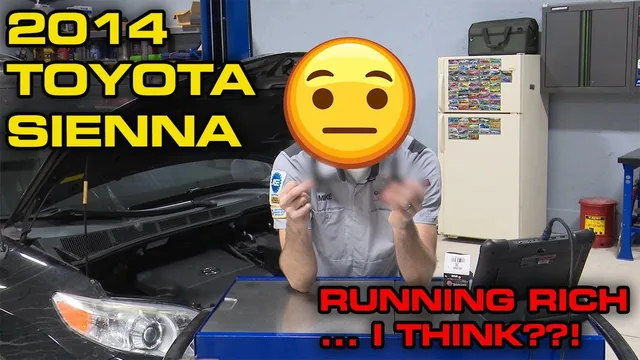
What changed the repair decision?
Cold idle
Observed: At cold idle, both short-term and long-term trim are negative.
What it supports: The computer is taking fuel away here. Now we need to find out why.
See the idle evidence 2:03Cruise and load
Observed: The fuel correction changes with driving conditions. The airflow and load readings give us something else to look at.
What it supports: An airflow reading that looks reasonable at idle doesn’t clear the sensor under other conditions.
Compare the conditions 4:23After MAF replacement
Observed: After the MAF replacement, the technician reports better behavior at idle and under load.
What it supports: The engine was also warmer and the fuel trims had relearned. Keep those differences in mind when comparing before and after.
See what improved 11:18Follow the five-step repair story
- Concern
This Sienna arrives with a rich-code problem after earlier repair attempts. Start with the cold-idle data: the computer is taking fuel away. See the initial data 2:03
- Evidence
Watch how the readings change from idle to cruise to load. The fuel correction, airflow and load readings tell us more together than one MAF reading can. Compare operating conditions 4:23
- Repair decision
The checks point to an air-metering problem, so it’s time to inspect the MAF. It looks recently replaced, but that doesn’t clear it. Follow the reasoning 8:50
- Repair
The MAF is replaced, and you can see the two sensor housings compared. That shows what was changed on this Sienna. It doesn’t give us a verified part number or prove another vehicle needs the same repair. See the replacement 9:45
- Recheck
Back to the scan data: behavior improves at idle and under load after the replacement. The engine is warmer at idle and the trims have relearned, so keep those differences in mind. Watch the recheck 11:18
The video shows loaded road testing. Don’t copy a full-throttle test on public roads. Have an appropriate technician use the vehicle’s approved diagnostic procedure.
Use service information for exact test values and model-year fitment; we haven’t verified those details from the automatic captions. The case shows immediate improvement, but it doesn’t show long-term monitor completion.
05 · Verify
How do you know the repair helped?
- Check the work. Look over the hoses, connectors, seals and leak paths you worked on before running the specified test.
- Return to the original concern. Go back to the original symptoms and fuel-control readings. Where it’s safe and appropriate, compare them at similar temperature, RPM, load and loop status.
- Account for learned values. Follow the manufacturer’s reset and relearn instructions. Clearing a code or resetting a trim doesn’t tell us the repair worked.
- Consider fuel-contaminated oil. Suspect fuel in the oil? Find the source and follow the vehicle’s inspection and service guidance. Changing the oil alone won’t prove the rich problem is fixed.
- Check codes and monitor status again. Follow the conditions required to complete the monitor. A light that stays off right after you cleared it isn’t the same as a monitor that has run and passed.
Evidence improved
Write down what changed and under what conditions. Then finish the required checks. Better readings now are useful, but you still need to know whether the monitor completed and passed.
Concern remains
Check your installation first. Then go back to the findings and the next explanation you haven’t tested. Don’t keep adding parts to a repair you haven’t confirmed.
Cannot reproduce it
Write down what you couldn’t reproduce and which condition is missing. Leave the result inconclusive. Don’t call it fixed or repeat unsafe tests just to force an answer.
Sources & coverage
Source published June 8, 2022 · Guide updated October 19, 2026
Use this guide to understand the code, choose a check, follow a real repair and plan the recheck. For the repair on your vehicle, you’ll still need the procedure that matches its engine and the fault you found.
See source notes and what remains unverified
Original GoTech article published June 8, 2022. This guide draws on GoTech’s original article and video, with archived video details and English captions reviewed October 18, 2026. Play the original case here 0:00.
We used the captions to explain the diagnostic reasoning, not to supply exact test specifications. Get pinouts, pressures, torque specs, test limits and complete removal steps from current service information. An independent technician review of this revised guide is still pending.
Recording freeze-frame evidence before resets is also supported by Ford TSB 04-17-4, for the vehicles it lists. Don’t apply its numbers or procedures to every vehicle covered by these code guides.